Image Classification
Problem
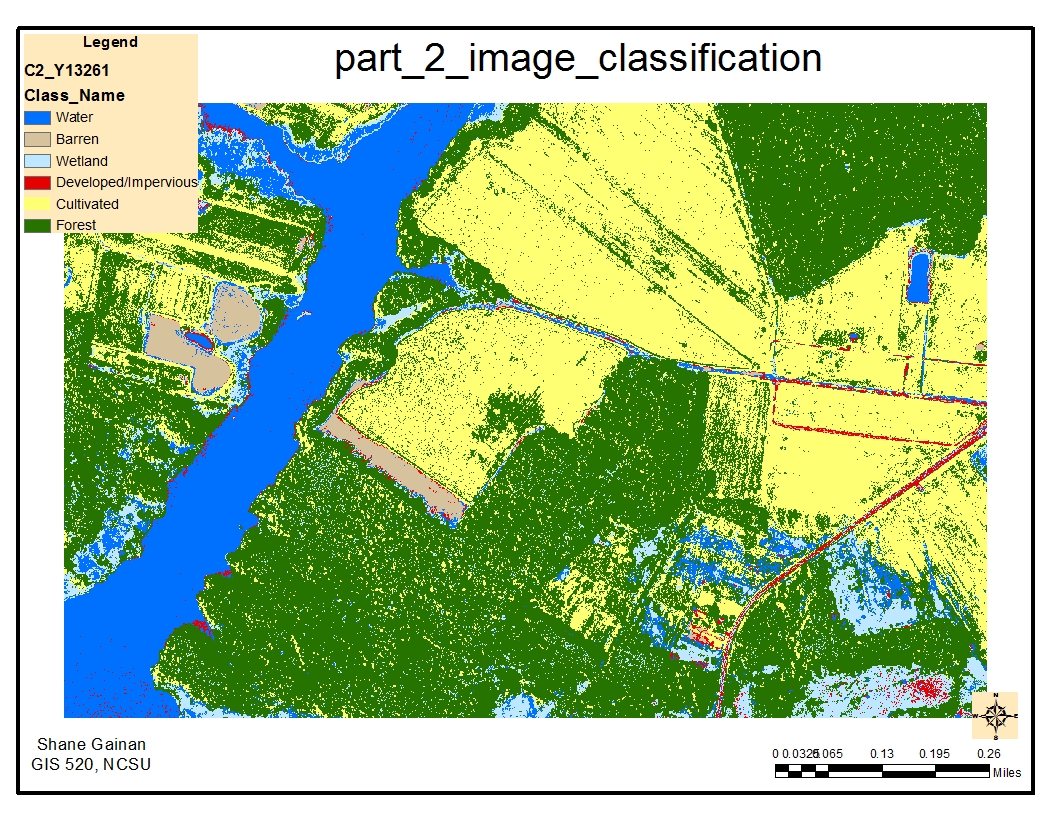
Conduct a supervised classification of the Black Water National Wildlife Refuge to develop a bases of land cover data based on six main land cover classes. These land cover classes follow; Forest, Cultivated Field, Barren Area, Developed/impervious, Wetland, and Water. The imagery provide is a 4 band true color image from 2010.
Analysis procedures
Strategies
To achieve the land cover classification we have to complete several steps to classify it correctly utilizing the tools within ArcMap. The first step is ensuring that spatial analysis is selected under the customize – extensions menu, followed by enabling the Image Classification Tool Bar within ArcMap. Once the environmental variables and workspaces are set you can begin the classification process by drawing polygons on the image of the specific areas you would like to classify. The methods of this follow.
Methods
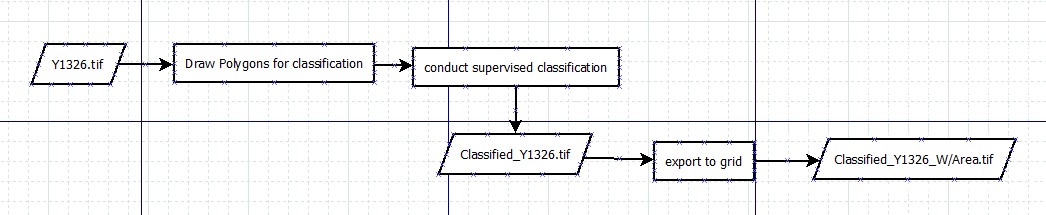
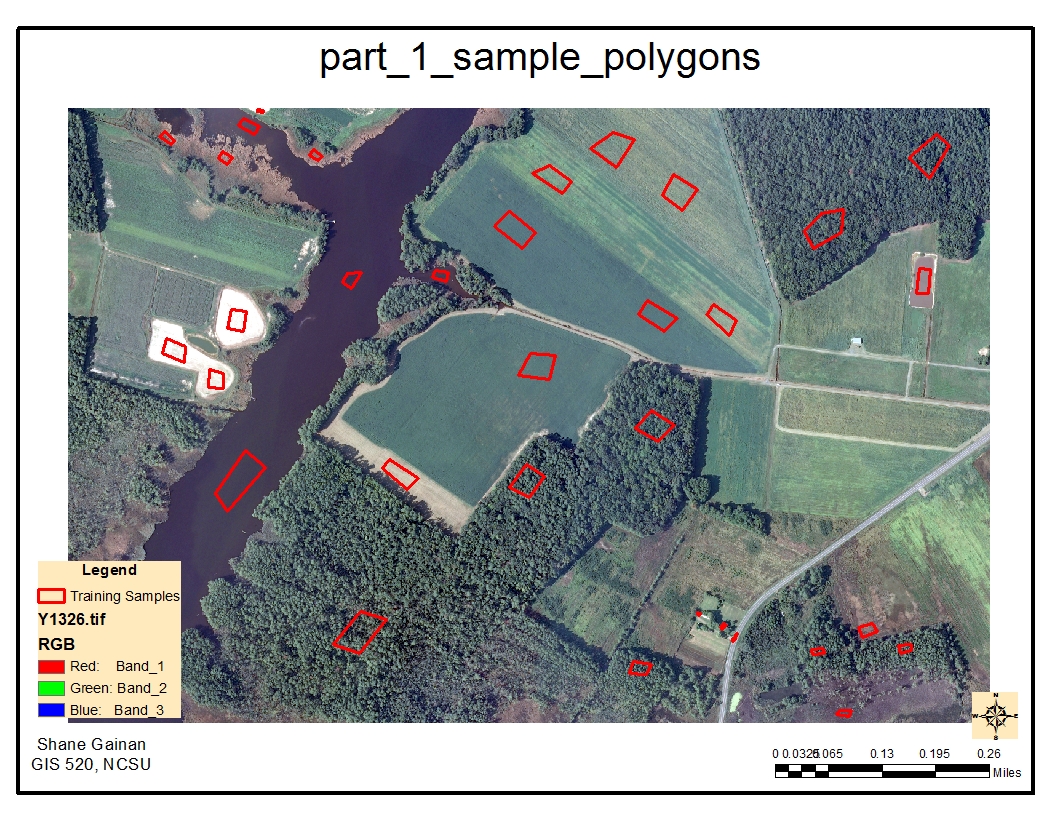
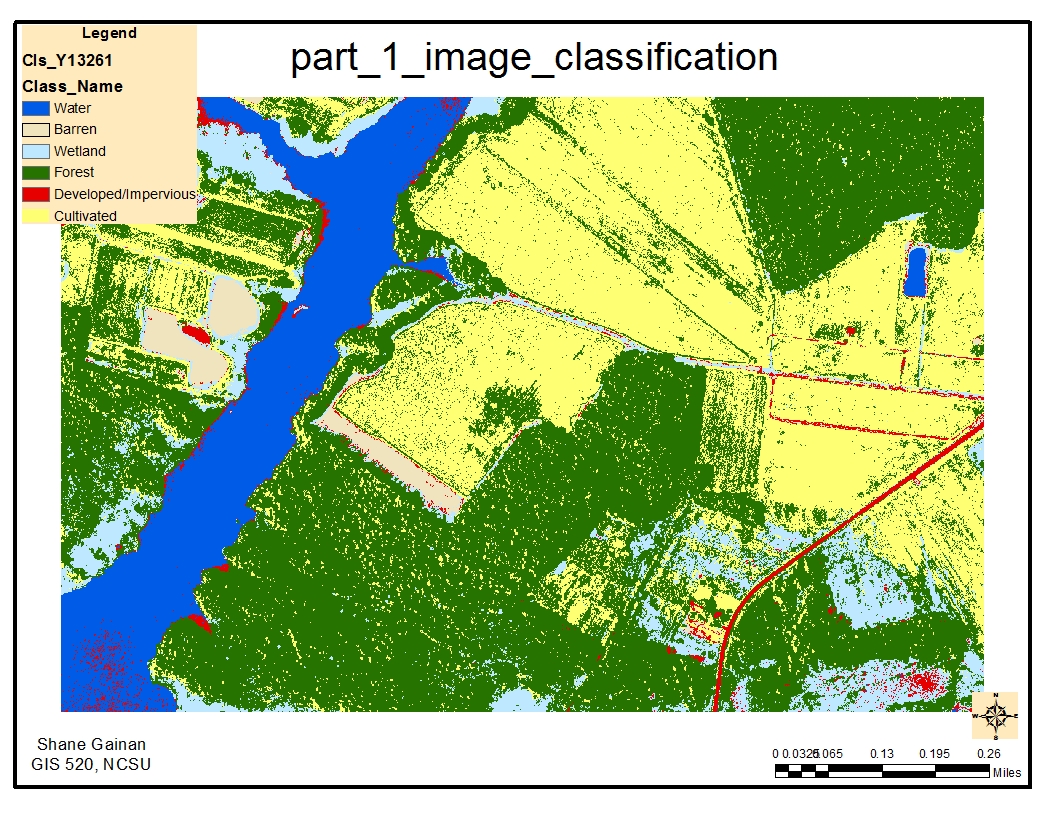
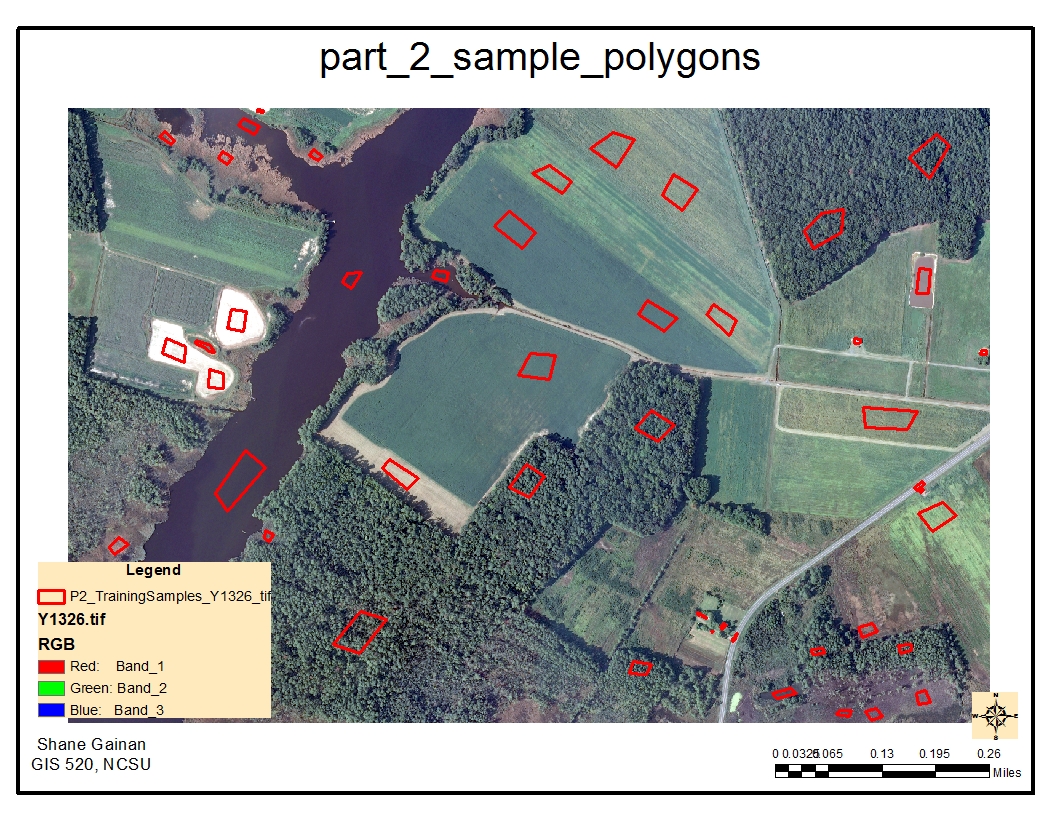
After opening the image I studied the specific areas on the image that would best fit the classification land cover classes we previously identified. I initially drew five polygons on each class to get a minimum bases for the supervised classification using the Draw polygon tool from the classification toolbar enabled previously. Each polygon creates a training sample in which I renamed into the classification of the land cover the polygon represented such as water. Once I had a minimum of five polygons for each of the six classes I selected the interactive supervised classification tool which began the classification process and created a new image based of the six classes defined by the draw polygon and training samples. The resulting image was a tif image file that was color coded to represent each land cover area. I then wanted to get the area of the land cover so this required me to export the new .tif file into a new grid file which would give me a count column of the number of grids representing each land cover classification. I then utilized the tools within the second image file by opening the attribute table, adding a new field, setting it as a double and providing the calculation to determine the area of each land cover. The final step was to create the legend of the map utilizing NLCD standards for color coding the land cover and creating a map showing the types of land cover in the forest.
Process diagram / workflow diagram
Results
Application and Reflection
Classification processes can be extremely useful especially if you are dealing with new imagery that no one has previously turned into shape files and done the initial leg work for the land cover.
Problem description
One situation i can think of for the use of classification is if you are trying to depict vegetation from building in am image. Using a Software solution such as ERDAS or this process can help you easily separate the two based off of color bands and reflection of heat from certain objects on the color spectrum. Typically red is the color of vegetation while building and man made objects are light color as they reflect the light.
Data needed
Getting imagery from Satellites such as IKONOS or QuickBird you can download raw satellite imagery with numerous color bands to conduct the classification to identify forests, water, and various land covers. One of the main sources i have used in imagery files is from Earth Explorer. Here you can download satellite image in 8 or 11 bands to begin classification processes
Earth ExplorerAnalysis procedures
The first procedure in classification is to capture samples of the areas you want to classify. the more samples the more accurate your classification will be. Depending on what you are trying to classify you could select over 200 samples of each classification you would like in your image.
After capturing samples of everything you then want to classify them into the same classification such as water, barren land, vegetation, forests, or how many you want to classify the image into.
Running the tool will them provide the classified features in your map. It is appropriate to color them in accordance with standard classification data such